own.audio bills for the storage your library actually uses, out of a credit balance. The Billing tab is where that’s laid out — and for whoever looks after the household’s library, it’s the screen that answers “is this going to be a problem?”
Open Settings (⌘,) and pick Billing.
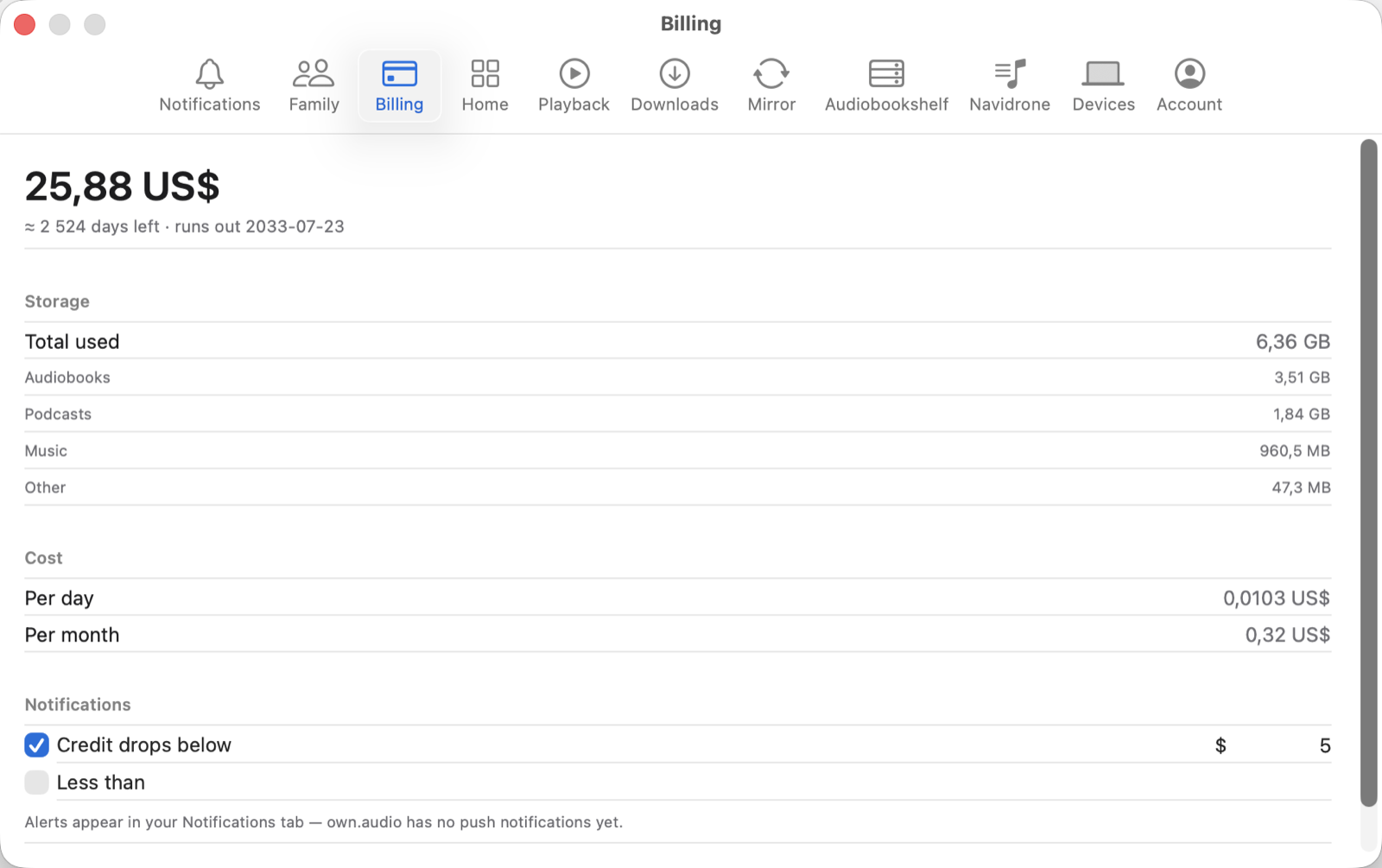
The four things it tells you
Your balance, and how long it lasts. The large figure is the credit remaining, followed by an estimate in days and the date it runs out at the current rate. That estimate moves as your library grows — it isn’t a fixed term.
Where the storage is going. A total, then a split across Audiobooks, Podcasts, Music and Other. This is the useful one when the number is higher than you expected: it’s usually one kind, not everything at once.
What it costs. Per day and per month, at the current size. These are computed from what you’re storing right now, so they change when the library does.
A warning before it runs out. Two independent alerts:
- Credit drops below a currency amount you set
- Less than a number of days remaining
Tick either, both, or neither.
Where the warning shows up. Alerts appear in the app’s own Notifications tab. own.audio has no push notifications yet, so nothing will reach your phone or appear as a system alert — you’ll see it the next time you open the app. Worth knowing before you rely on it as your only safety net.
Bringing the cost down
The cost follows the storage, so it comes down the same way the storage does. Note that this is about what’s on the server, not what’s mirrored to your Mac — those are different numbers:
- Removing a local copy on the Storage screen frees space on the Mac, and doesn’t change what you’re billed for.
- Removing something from the library itself is what reduces the stored total.
Manage the space it uses covers the first of those.
Adding credit
The Buy Credit… button on the app’s Home screen, next to the same balance, is the route to topping up.
Next: Sign a device out remotely.